The workspace Owner manages billing in Workspace settings → Billing. Card changes, invoices and cancelling are handled securely by Stripe through Manage billing.
Open the Billing tab
- Open the workspace menu at the top of the sidebar and click Workspace settings.
- Open the Billing tab. Only the Owner sees it.
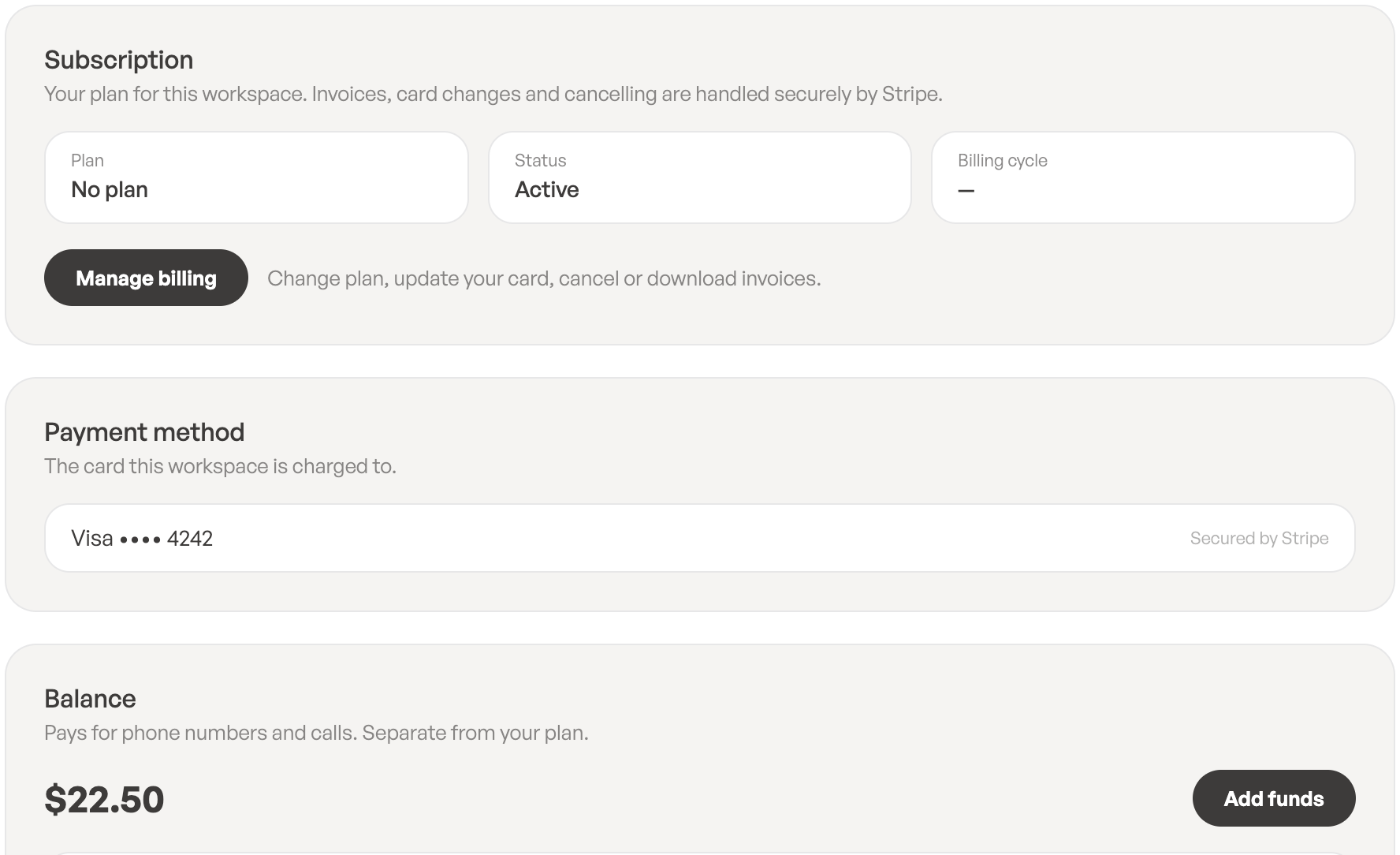
You’ll find three cards:
- Subscription: your Plan, its Status and Billing cycle, plus Trial ends or Access until when they apply.
- Payment method: the card this workspace is charged to. A card is saved when you choose a plan or add funds.
- Balance: your balance and all top-ups and charges, with Add funds.
Change your card, download invoices or cancel
- On the Billing tab (or the Plan tab), click Manage billing.
- Stripe’s billing page opens. There you can update your card, change your plan, download invoices or cancel your subscription.
If you cancel, your plan stays usable until the end of the period you’ve paid for.
Subscription statuses
- Free trial: you’re in your 7-day trial.
- Active: your plan is paid and running.
- Payment overdue: the last payment failed. You keep full access for 7 days while you fix it.
- Cancelled: the plan won’t renew. You keep access until the date shown.
- Ended: the trial or plan is over.
- Suspended: the overdue payment wasn’t settled in time, so the workspace is paused.
If a payment fails
You’ll get a Payment failed notification. Click Manage billing, update your card and settle the payment. When it goes through, you’ll get Payment successful.
When the trial or plan has ended
If the trial ends without a plan, a payment stays unpaid, or there are more members than licenses, ToCaller shows a screen such as Your trial has ended, Your plan has ended, Your account is paused or You’re waiting for a license.
- The Owner can click Choose a plan or Update payment method to restore access.
- Other members are asked to contact the workspace Owner.
- Nothing is deleted. Your contacts, numbers, call flows and call history are all kept, and access comes back as soon as the payment is made.
Leave a Reply